Best ads
What this is
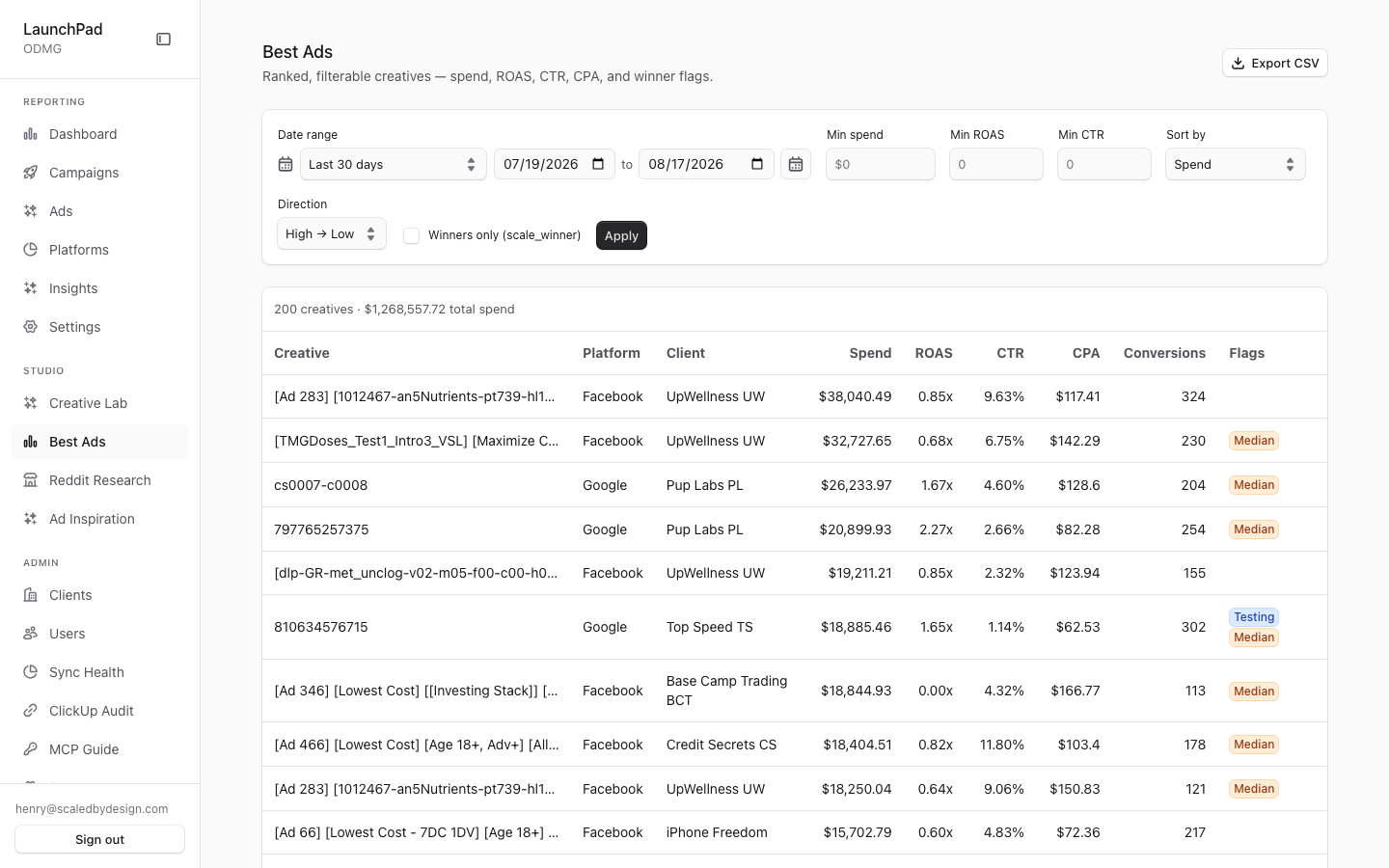
Best ads is where you find the strongest-performing ads in your account. It ranks creatives in a single table so you can compare spend, revenue, conversions, CTR, CPC, CPA, and ROAS. Filter the list to focus on ads that meet your performance thresholds.
Common questions
What does Winners only show?
It limits the table to ads marked as scale, testing, or median winners.
Can I change how the ads are ranked?
Yes. Choose spend, ROAS, CTR, conversions, or CPA, then switch between ascending and descending order.
Can I download the results?
Yes. Export downloads the rows currently shown after your filters and sort order are applied.
Why is the Share option missing?
A share link can only be created when you are looking at one client. It is hidden for combined multi-client results.
What does a share link include?
It opens a read-only report for one client with the current date range, platform filters, sort order, and result limit fixed in place.
How to use it
- Set the date range.
- Enter minimum spend, ROAS, or CTR values if you want to narrow the list.
- Choose the ranking and sort direction, or select Winners only.
- Export the current table, or create a share link when viewing one client.
Screenshot
For developers — routes, guards, and internals
- Route:
/best-ads - Guard: authenticated session +
view_creative_labpermission +flag.enable_best_adsplatform flag (src/app/best-ads/layout.tsx). No session →/login?callbackUrl=/best-ads, missing permission →/portal, flag off →/marketing.
Ranked, filterable creative-grain table — the V2 equivalent of legacy
Launchpad's "Scale Winning Ads" view (ticket S5-13). Deliberately a lean
standalone view with a fixed column set instead of reusing the
column-config-driven PaidAcquisitionTable. Live capture: 200 creatives,
$1,268,557.72 total spend across the cross-client aggregate.
Features
- Ranked creative table (fixed columns). Label, platform, client,
impressions, clicks, spend, conversions, revenue, CTR, CPC, CPA, ROAS.
Backed by
GET /api/marketing/best-ads, which delegates aggregation togetBestAdsinsrc/lib/marketing/queries.ts— the same creative-level hierarchy query the marketing Tabs View uses, so numbers always match the main report. - Winner flags. Each row carries
scale_winner/testing_winner/median_winnerbooleans joined onto the query result; a Winners only checkbox (winners_only=true) restricts the set to flagged rows. - Min-threshold filter rail. Free-input minimum spend, minimum ROAS and
minimum CTR fields map to
min_spend/min_roas/min_ctrquery params; non-numeric input is ignored server-side. - Sort controls. Sort-by select over
spend | roas | ctr | conversions | cpawith an asc/desc toggle; anything else falls back tospend descserver-side. Result cap islimit=200from this view. - DateRangeSelect. Shared preset/custom range picker; presets resolve to a
trailing
dayswindow, custom spans send absolutefrom/to. - Export CSV. Client-side export of the current (filtered, sorted) rows.
- ShareButton — single-client rule. Mints a public tokenized share link
via
POST /api/admin/share-linksand copies the URL. The button is hidden whenever the result set is a cross-client aggregate (emptyclientId): a share link is always frozen to exactly one tenant, and the API rejects a mint without one. This is why the capture (cross-client aggregate) shows no ShareButton. The minted URL is shown once — the plaintext token is never persisted (see the/share/[token]page doc). - Tenant isolation. Scope is derived server-side via
resolveQueryScope; the route never trusts a browser-supplied client id, same as every other/api/marketing/*route. - Formatting conventions. Money renders as dollar decimals
(
$1,268,557.72) per the repo-wide MONEY RULE (values are dollars everywhere, never cents); CTR renders as a percentage with two decimals; ROAS as a multiple. - Relationship to
/share/[token]. A minted share link freezes the current filters (date window/range, platforms, sort, limit) into a narrowing-only payload plus the single tenant slug; see theshare-token.mdpage doc for the token lifecycle, hashing, and revocation.
Key files
| Kind | Path |
|---|---|
| Layout guard | src/app/best-ads/layout.tsx |
| Page | src/app/best-ads/page.tsx |
| View | src/components/best-ads/BestAdsView.tsx |
| Share affordance | src/components/share/ShareButton.tsx |
| Query | src/lib/marketing/queries.ts (getBestAds) |
| API | /api/marketing/best-ads, /api/admin/share-links (mint) |