Login and sign-up
What this is
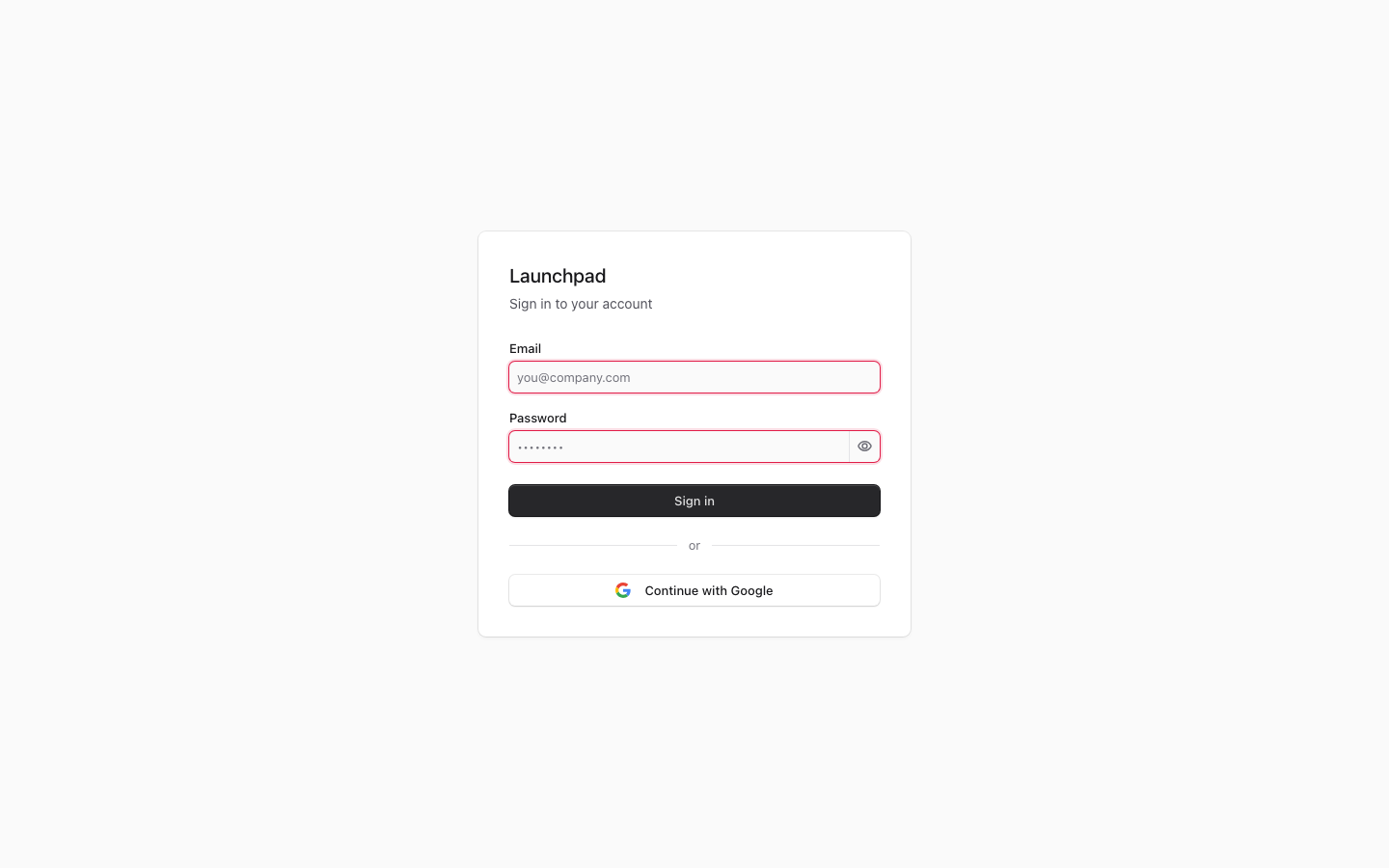
Login and sign-up is where you access Launchpad with your email and password, Google sign-in when it is available, or a link sent by an administrator. New accounts are invite-only. After you sign in, the app sends you to the right area for your role.
Common questions
What happens if my email or password is wrong?
The page shows an “Invalid email or password” message. Check your details and try again.
Why don’t I see Continue with Google?
Google sign-in only appears when it has been set up for your organization.
Can I create my own account?
No. Sign-up requires an invite created by an administrator. Use the invite link you received to choose a password.
What is a magic link?
It is a sign-in link created by an administrator. Open it before it expires; it can only be used once.
Where will I go after signing in?
Super administrators go to the admin area. Other users go to the client portal.
How to use it
- Enter your email and password, or select Continue with Google when it is available.
- If you received an invite, open its sign-up link and choose your password.
- If you received a magic link, open it directly to sign in.
- If you cannot sign in, ask an administrator to confirm your account and access.
Screenshot
For developers — routes, guards, and internals
- Routes:
/login,/signup(invite-based) - Guard: public (both are on the
PUBLIC_PREFIXESallow-list). An already-authenticated visit to/loginredirects by role — super_admin →/admin, everyone else →/portal— which is why the capture run got this shot only while signed out.
Auth entry points use NextAuth v5. The screenshot shows the email/password form with the conditional "Continue with Google" button.
Features
- Credential flow.
LoginFormposts to a server action onsrc/app/login/page.tsxthat callssignIn('credentials', ...)— the password check runs server-side against NextAuth (bcrypt hash in Supabase); no secrets ship to the client. Failure redirects to/login?error=invalid, which renders the "Invalid email or password." banner; success re-reads the session and redirects by role (super_admin →/admin, else/portal). - Google SSO. "Continue with Google" renders only when
isGoogleSsoConfigured()is true. Rejections come back as?error=<code>and map to human-readable messages: misconfigured (no allowed domains), domain not permitted, no matching user account (accounts must be created by an admin first — SSO never auto-provisions), or unverified Google email. - Magic-link entry. Admin-minted magic links (see
/admin/settingsMagic Links tab) point atGET /api/magic-link/consume?token=..., which is public (the token signature is the auth). It signs in via the NextAuthmagic-linkcredentials provider whoseauthorize()atomically marks the token consumed, then follows the token'sredirect_to; invalid / expired / already-used tokens bounce to/login?error=invalid. - Invite-based signup.
/signup?token=<invite_token>is not open registration: the invitee (created by an admin, which mints the invite token) chooses a password and POSTs to/api/auth/signup, which consumes the token. /registeris NOT user signup. The app-root/registerroute simply re-exportsPOST /api/mcp/oauth/register— it is OAuth 2.1 dynamic client registration for MCP clients (see/admin/mcp). Do not point users at it.- Auto-login (testing aid).
AUTO_LOGIN_EMAIL/PASSWORDopt/api/auto-logininto signing in automatically for controlled audits and testing. Do not infer whether those variables are configured or healthy from this page; verify the current deployment separately. A failed attempt follows the route's fallback behavior and must not be documented as a stable production condition. - Middleware relationship.
src/proxy.ts(Next.js 16's renamedmiddleware.ts, Node runtime) admits any logged-in user and only exempts the segment-scoped public prefixes; role decisions happen in the per-segment layout guards, not here.signIn/signOutare only ever called from Route Handlers or server actions (a repo non-negotiable — they break in a plain RSC render path).
Key files
| Kind | Path |
|---|---|
| Login page + server actions | src/app/login/page.tsx |
| Form | src/app/login/LoginForm.tsx |
| Signup | src/app/signup/page.tsx, src/app/signup/SignupForm.tsx |
| Auth config | src/lib/auth.ts, src/lib/auth.config.ts, src/lib/google-sso.ts |
| Magic links | src/lib/magic-link.ts |
| Public allow-list | src/lib/public-paths.ts |
| API | /api/magic-link/consume, /api/auth/signup, /api/auto-login, /register (MCP OAuth client registration) |