Campaigns
What this is
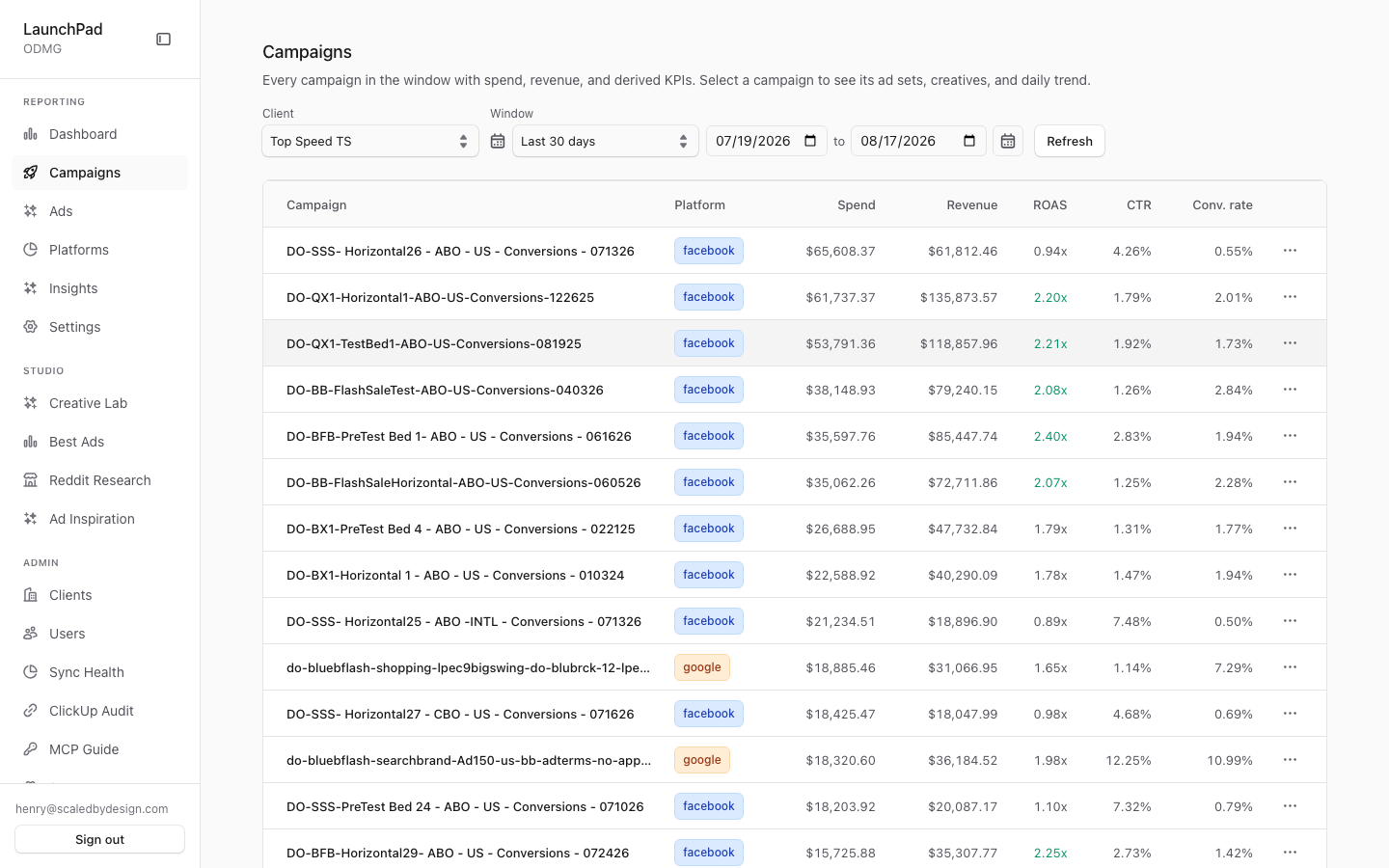
This is a flat list of campaigns for the selected date range. Use it when you need to compare every campaign in one place, then open a campaign for its ad sets, creatives, and daily results.
Common questions
What metrics are shown for each campaign?
The list includes spend, revenue, ROAS, CTR, and conversion rate for the selected window.
How many campaigns can the list show?
The page shows up to 500 campaigns in the selected window.
Can I change the client or date range?
Choose a date range to reload the list. Users who manage multiple clients can also choose a client; everyone else is limited to their own client.
What happens when I open a campaign?
Selecting a campaign takes you to its detail page and keeps the active client selection.
Why did the page show an error?
Use the error panel’s guidance or try Refresh. The page also explains common setup issues in a new environment.
How to use it
- Choose the client if the client selector is available.
- Set the date range.
- Review the campaign list and sort or compare the metrics you need.
- Select a campaign name to open its detail page.
- Select Refresh to reload the current list.
Screenshot
For developers — routes, guards, and internals
- Route:
/marketing/campaigns(?client=<slug>scopes for super_admins) - Guard: reachable anonymously (demo mode); nav entry requires
view_dashboard. Tenant scope enforced server-side by/api/marketing/campaigns.
Captured with real Top Speed TS rows, e.g. "DO-SSS- Horizontal26 - ABO - US - Conversions - 071326" (facebook, $65,608.37 spend, $61,812.46 revenue, 0.94x ROAS).
Features
Flat campaign table (limit 500). Every campaign in the selected window in one flat list — no drill hierarchy — with spend, revenue, ROAS, CTR, and conversion-rate columns. Data comes from /api/marketing/campaigns (ClickHouse via src/lib/marketing/queries.ts); money values are dollar decimals per the repo MONEY RULE.
Row → detail link carrying ?client. Clicking a campaign name navigates to /marketing/campaigns/[id], threading the active ?client= param so the super-admin's tenant selection survives the navigation.
ClientScopeSelect (super_admin only, self-hides). The client scope dropdown renders only for platform-tier roles; for everyone else the component returns nothing and scope is locked server-side to their own tenant.
DateRangeSelect. Shared preset/custom date window control; changing it re-fetches the table.
Refresh. Manual re-fetch button for the current scope and window.
Error panel with seed/migrate hints. On query failure the page renders an error panel whose copy points at likely causes for a fresh environment (run seeds / apply ClickHouse migrations) rather than a bare stack trace.
Footer counts. Row-count summary under the table for the current window/scope.
Data flow & tenancy
CampaignsView(client component) builds a query string from scope + date window and fetches/api/marketing/campaigns.- The route calls
requireMarketingAuththenresolveQueryScope()(src/lib/auth-scope.ts) — the tenancy chokepoint.client_user/tenant roles are locked to their ownclientSlugand any browser-suppliedclientparam is ignored; onlysuper_adminmay scope viaclientId/clientIdsor read the aggregate; anonymous falls back to thedefaultdemo tenant only. - The scoped query runs against ClickHouse through the shared client (
src/lib/clickhouse.ts, 60s timeout, keep-alive off for serverless) using builders insrc/lib/marketing/queries.ts. - The response envelope carries rows + counts + last-refreshed metadata; the component renders it verbatim (no client-side re-derivation of money figures).
Every ClickHouse query over tenant data carries a client_id filter for non-super-admins — a missing filter is treated as a security bug in this repo, not a perf nit.
Relationship to other pages
- The main report (P2,
/marketing) covers the same campaigns inside its drill hierarchy; this page is the flat "give me every campaign as a sortable list" complement. - Row links land on P4 (
/marketing/campaigns/[id]) with?clientpreserved. - Campaign rows also appear inside P6's Campaigns & Creatives drilldown tab.
Key files
| Kind | Path |
|---|---|
| Route | src/app/marketing/campaigns/page.tsx |
| Main component | src/app/marketing/campaigns/CampaignsView.tsx |
| Shared components | ClientScopeSelect.tsx, DateRangeSelect.tsx |
| API | /api/marketing/campaigns (src/app/api/marketing/campaigns/route.ts) |
| Queries | src/lib/marketing/queries.ts |